Kilne OS desktop
A simple, uncluttered desktop.
Kilne OS runs on Debian 13 and uses a desktop written in Rust. You get a top bar, a dock and a launcher, on an empty desktop that is ready for your work.
Type to filter. Press Esc to close.
Interactive demo This is a re-creation of the KilneOS interface, not a screenshot. On KilneOS you press Super+Space for the launcher. Here, click the launcher icon or press Space.
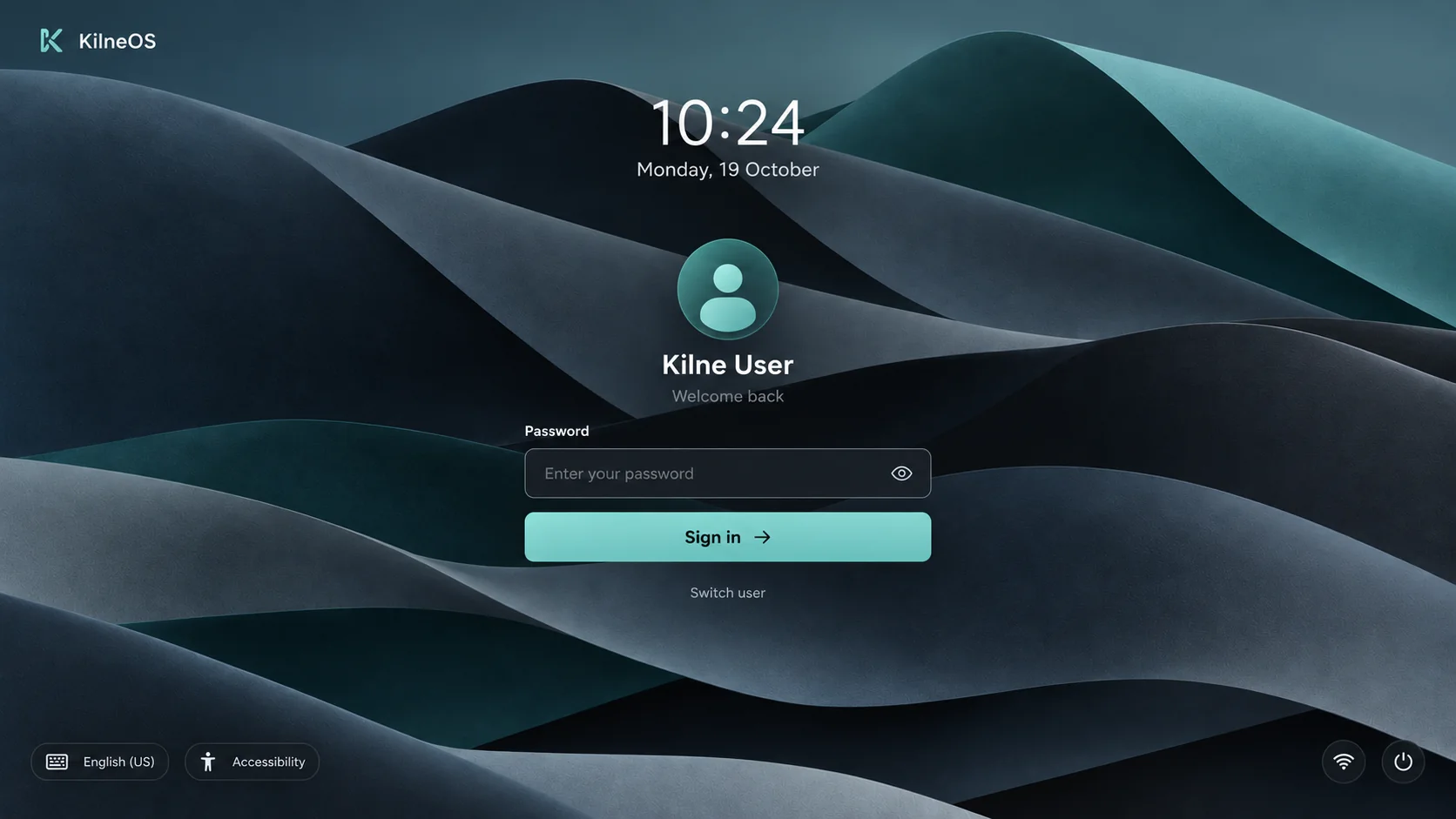
Log in
A calm login screen.
The time and date, your name, and a password field. Switch user, language, accessibility and the power menu are in the corners.
What’s on screen
The top bar
The K mark, the date and time, and network and battery status. It always stays above your windows.
The dock
A set of fixed apps plus whatever you have open, with a dot under each running app. It tucks away under a maximised window.
The launcher
Press Super+Space for a grid of apps with search. Programs you install with apt show up here too.
Windows
Every app opens in its own window. Alt+Tab shows thumbnails, and you can open several windows of one app.
The power menu
Sleep, restart, shut down and log out, in one place.
The login screen
A quiet screen with the K mark, the clock, your avatar and a password field. Switch user and power controls sit in the corner.
Apps that come with it
Files
Browse your files with tabs and thumbnails.
Terminal
A terminal for the command line.
Text Edit
Write Markdown and see it formatted as you type.
Viewer
Look at images and PDFs.
Settings
Change appearance, network, display, sound and more.
Store
Find, install and update apps.
Also included: Chromium as the browser, and an Office tile for LibreOffice.
Look and feel
- Dark and light themes, five accent colours, and a reduce-motion option.
- Appearance is shared across the system. Change it in Settings and everything follows.
- Documents, Downloads and Pictures are ready on first login.